Welcome to Efficient Labs
Tools built for our customers
Efficient Labs ships tools that help engineers get up and running with the Electron E1. We launched Labs because our customers deserve more than PDFs, datasheets, and tools that feel decades old. We built them with the help of AI because that is how we got from "wouldn't it be cool if" to something a customer can click on in an afternoon instead of a quarter. Use Labs to learn faster and design faster. Tools that earn their keep will keep getting better. The rest will make room for something more useful. If something helps, tell us.
If something is wrong, tell us that too. Email labs@efficient.computer.
.avif)
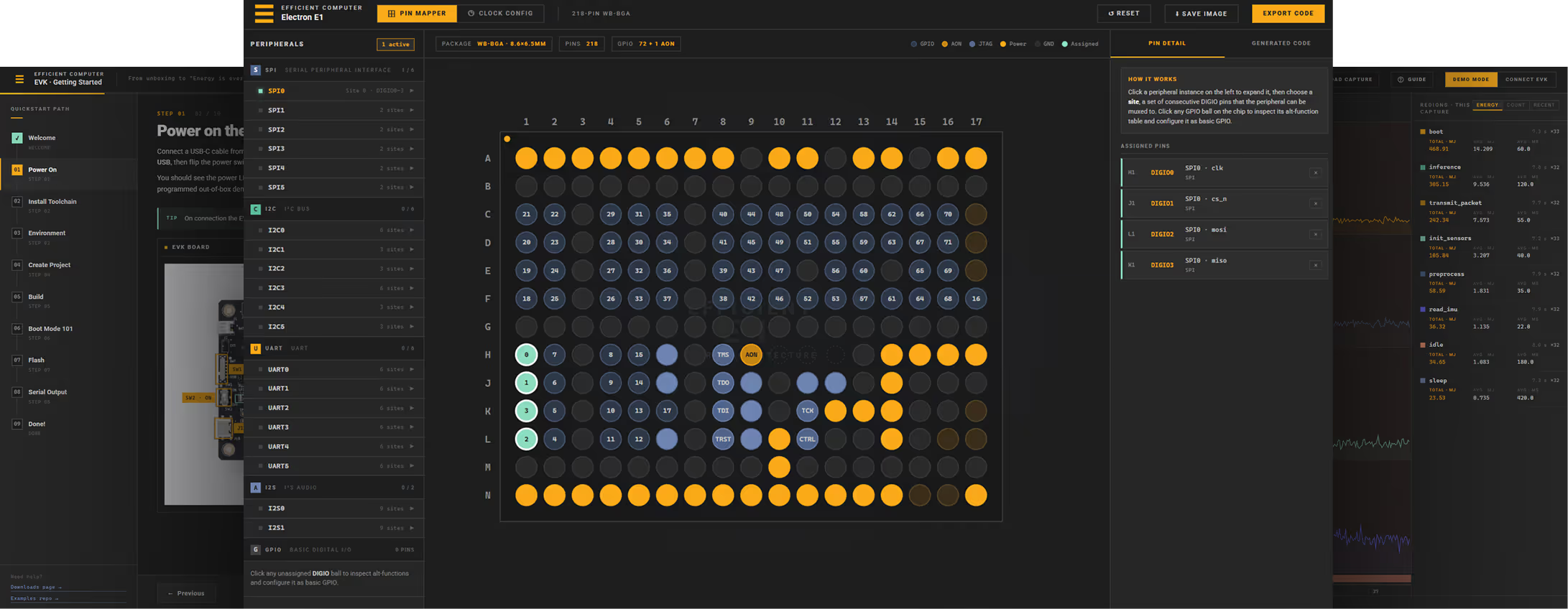
Pin Mapper
A visual planner that helps developers decide which features of the Electron E1 chip to wire up to which physical pins. The chip has hundreds of pins and a lot of flexibility in how they get used, so picking a layout by hand is slow and easy to get wrong.
The Pin Mapper turns that decision into a click-and-drop exercise: pick a feature like a sensor bus or a serial port, see only the pins that can host it, and get an immediate warning if your choice clashes with another assignment. A companion mode handles clock planning, so the same tool covers both "where does this signal live" and "how fast does it run." It removes a major early hurdle when starting a new project on the E1.
EVK Getting Started Guide
A guided first-day experience for any developer opening the E1x EVK box for the first time. Instead of asking them to chase down a wiki or a PDF, this tool walks them step by step from plugging in the board to seeing their first program run, with a live photo of the board that lights up the relevant switch or connector at each step.
The tool tracks progress so a developer can stop and resume. It is the front door for evaluation customers and is designed to make the moment between "I have hardware" and "I have it running my code" as short and frustration-free as possible.
.avif)
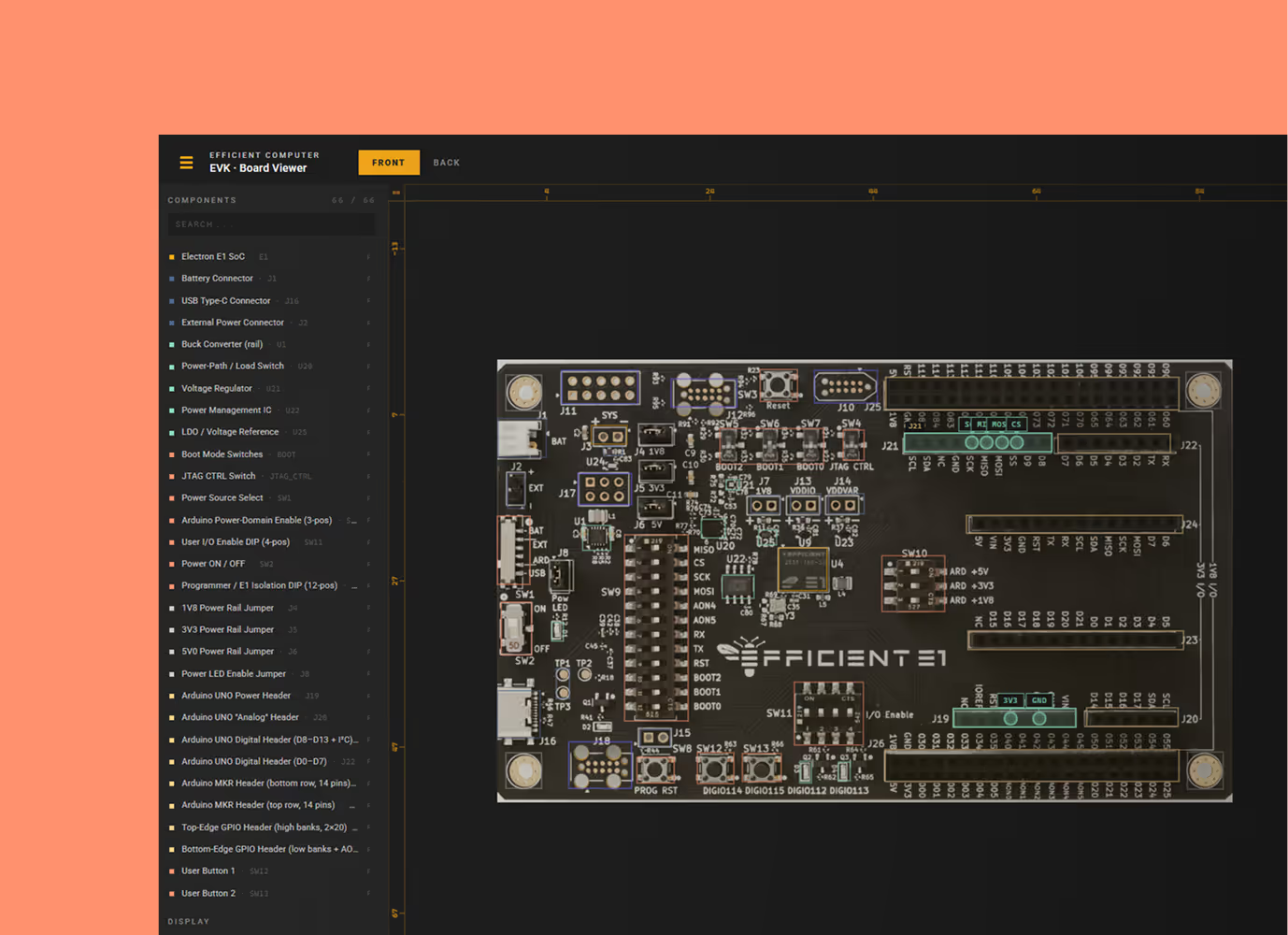
Board Viewer
An interactive Board Viewer of the Electron E1x EVK board that anyone can open in a browser, no install required. It serves three audiences at once: an engineer who needs to find a specific component, a customer scoping a project who wants to see what is on the board, and a developer who needs working sample code to talk to a sensor through a specific header.
With the Wire-it-up feature, pick the kind of peripheral you want to connect, and the tool tells you which pins to use, how to set the switches, and gives you copy-paste-ready code. It compresses what used to be a multi-hour datasheet exercise into a few clicks.
Energy Profiler
A live energy dashboard for the EVK, built to make our energy-efficiency story visible and measurable. It plots power draw across each of the board's main rails in real time, so a developer can run a workload and immediately see where the energy is going. Users can also load a previous capture or replay a built-in demo, which makes it useful in meetings even without hardware on the table. The regions feature is what makes it analytical rather than just a scope: every named section of code shows its own energy cost, so a developer can ask "which part of my program is the expensive one" and get an answer in millijoules.
.avif)
.avif)
Lifetime Modeler
The tool a customer uses to answer the question "how long will the battery in my product last." The customer describes their device (which Efficient processor, which sensors, which radio), describes what the device actually does (read a sensor, send a packet), and picks a battery; the tool plots expected lifetime against how often the device fires, with comparison curves showing the same workload running on other MCU's available today. It removes all the duty-cycle and milliwatt-hour math a customer would otherwise need to do to evaluate us.
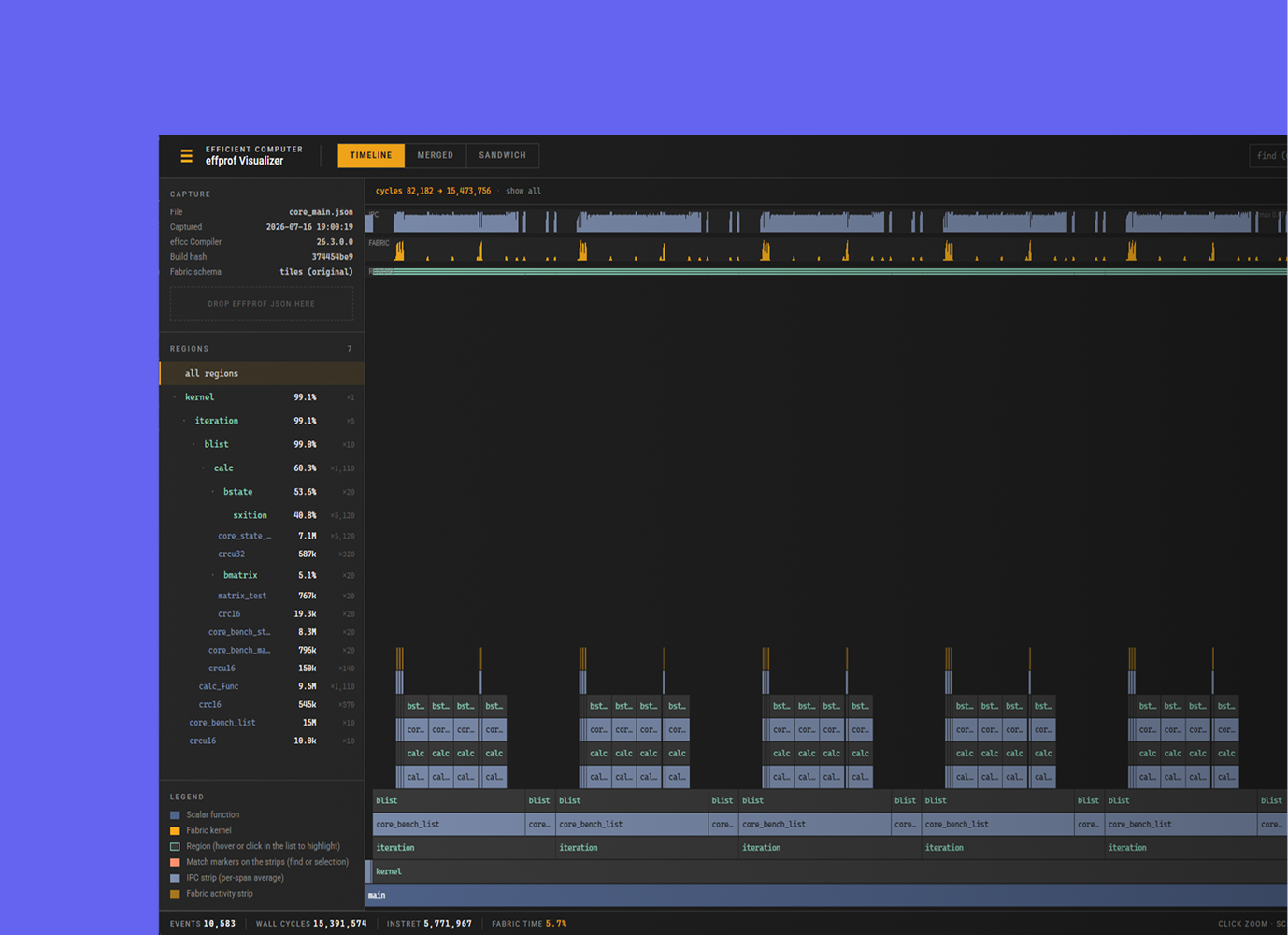
effprof Visualizer
A profiler front end that shows a developer where their program's cycles actually went on the Electron E1. The command-line profiler prints a table; this turns the same capture into a picture you can navigate, so instead of reading numbers you see the call structure, zoom into the expensive part, and select a named section of code to see just its cost. It also does something no conventional profiler can: a Fabric tab shows which kinds of compute units each kernel actually exercised, which is how a developer tells whether their code is using the Fabric architecture the way they intended.
It is the analysis companion to the Energy Profiler, where that tool answers "how much energy did this cost" and this one answers "which code caused it.”